Page 1 of 1
Ryzen 7800X3D VS 9800X3D
Posted: Wed Jul 22, 2026 10:09 pm
by TigerRaptor
A hundred dollar difference between the two, and the performance difference between both of them isn't that large. Is the extra $100 for the 9800 even worth it for long-term use?
https://www.techspot.com/review/3036-78 ... s-9800x3d/
Re: Ryzen 7800X3D VS 9800X3D
Posted: Thu Jul 23, 2026 5:13 am
by Krom
The 9800X3D gets some of its advantage from better packaging, its cache dies are below the logic instead of above it like the 7800X3D, so it has better thermals and more consistent boosting behavior on top of the improved architecture. 8% on average is probably not worth $100 today, since either one will get you into the AM5 platform which should support a future next gen 10800X3D or whatever CPU, it probably makes more sense to save the $100 for that and get the 7800X3D for now.
Re: Ryzen 7800X3D VS 9800X3D
Posted: Thu Jul 23, 2026 2:41 pm
by TigerRaptor
Good to know, thanks. I don't really keep up with the latest hardware, so by the time I need to build a new PC, I have to spend hours catching up on everything. I'm looking at the PowerColor Radeon RX XT cards and checking out how well AMD Eyefinity works on Linux.
Micro Center has good AMD bundles, so I might end up going with a 9800.
Re: Ryzen 7800X3D VS 9800X3D
Posted: Thu Jul 23, 2026 6:07 pm
by Krom
I did upgrade from a 7800X3D to a 9800X3D in my own system early last year I think. Took a good while to get one in stock. I did it mostly because I was highly amused by the ability to upgrade a CPU generation without having to get a new motherboard or RAM, since the last time I was able to do that was back in the 90s... And I play some games that showed a more significant benefit from it.
I still actually have the 7800X3D (and a water blocked 3080Ti) sitting on a shelf, I meant to build another hand-me-down PC out of it but then the AI apocalypse hit and the memory that I used in this build for like $180 now costs $950 and the SSD has inflated by a similar amount.
Re: Ryzen 7800X3D VS 9800X3D
Posted: Thu Jul 23, 2026 7:13 pm
by TigerRaptor
Tell me about it. After more consideration and the rising cost of computer parts. I'm going all in while the prices are a little better.
This is where I'm currently at.
Gigabyte X870 GAMING WIFI6 AMD AM5 ATX Motherboard
AMD Ryzen 9 9950X3D
PowerColor AMD Radeon RX 9070 XT Reaper Triple Fan 16GB GDDR6 PCIe 5.0 Graphics Card
Corsair VENGEANCE RGB 32GB (4 × 64 GB)
Samsung 9100 PRO 2TB Samsung V NAND TLC NAND (V8) PCIe Gen 5 x4 and PCIe Gen 5 x4 NVMe M.2 Internal SSD (I will be transferring the other hard drives over)
Corsair RM1000x 1000 Watt Cybenetics Gold ATX Fully Modular Power Supply
Corsair NAUTILUS 360 RS ARGB 360mm All in One Liquid CPU Cooling Kit
Cougar CFV235 Vision Tempered Glass ATX Mid-Tower
OS: Norara, Steam OS, or Bazzite
Re: Ryzen 7800X3D VS 9800X3D
Posted: Thu Jul 23, 2026 7:49 pm
by Krom
Unless you are doing some heavy compute lifting that actually needs 16 cores/32 threads, the 9800X3D is faster on average in gaming than the 9950X3D. If you just want the fastest gaming CPU there is with "money is no object", then the 9850X3D (a binned 9800X3D) exists with an even higher boost. The 9950X3D has internal latency issues that drag it down slightly in most gaming since it has two core modules and only one of them has the 3D cache.
Also the Corsair RM1000x specifically has been showing up unusually high in failure rates lately. The OEM switched their manufacturing to Vietnam in order to avoid some tariffs and there were quality hiccups in the process. The ones manufactured more recently should probably be okay...probably, but any unit from last year is suspect (they have been failing after 12-18 months of usage). For the record I have a Corsair RM1000e that is older than the tariffs and it is still trucking along fine.
Re: Ryzen 7800X3D VS 9800X3D
Posted: Thu Jul 23, 2026 9:17 pm
by TigerRaptor
Well, that just really sucks. I heard MSI power supplies have gone down in quality but never expected that from Corsair.
Re: Ryzen 7800X3D VS 9800X3D
Posted: Sat Sep 05, 2026 1:25 pm
by TigerRaptor
There are times when I really push this CPU hard, so upgrading to the Arctic P12 Pro or Phanteks T30 fans might be a better option than using the Corsair fans that came with the AIO cooler.
Re: Ryzen 7800X3D VS 9800X3D
Posted: Sun Sep 06, 2026 11:51 am
by Krom
I doubt different fans will make all that much difference on a 360MM AIO with a ~150w max heat load. At most you might get like 1C from tinkering with the fan directions. For instance in my system I have two radiators in the front and top with a total of 5 fans all exhausting out the case, then there are 6 additional case fans all drawing cool air into the case. 4 on the right side, one in the back, one more in the front. It is set up so the radiators, which cool both the CPU and GPU are both constantly fed cool air from outside the case in an orientation where they do not contest for the incoming cool air with each other, while the hot air is directed out and away from the case as much as possible to avoid re-circulation.
In your setup, it may help slightly to flip the case fans to intake and let the radiator blow all the heat out the top, helping even out the pressure and up the flow volume.
Keep in mind even with the massive amount of radiator space I have (420+280x40mm), my CPU temps will still push the upper 70s easily at peak load, while my coolant temperature rarely goes over 40C even when when it is dissipating over 500 watts total. But that is in a room that is around 23-25C. Cooling off my room has a much bigger impact on my component and coolant temperatures than the fan/pump speeds due to the nature of thermal conductivity. Water coolers, and really all coolers, don't start to seriously move heat until they are warmed up to well over the ambient temperature. Basically it isn't even worth spinning up the fans to any extent until the coolant is a solid 15C warmer than the air, otherwise you are just making noise for practically nothing in return.
Re: Ryzen 7800X3D VS 9800X3D
Posted: Sun Sep 06, 2026 8:19 pm
by TigerRaptor
Since the Corsair fans have a max speed of 2100 RPM, while both the Phanteks and Arctic have a max speed of 3000 RPM. (assuming they actually will reach those speeds) I wasn't sure if there would be any benefit. In that case I'll leave them be.
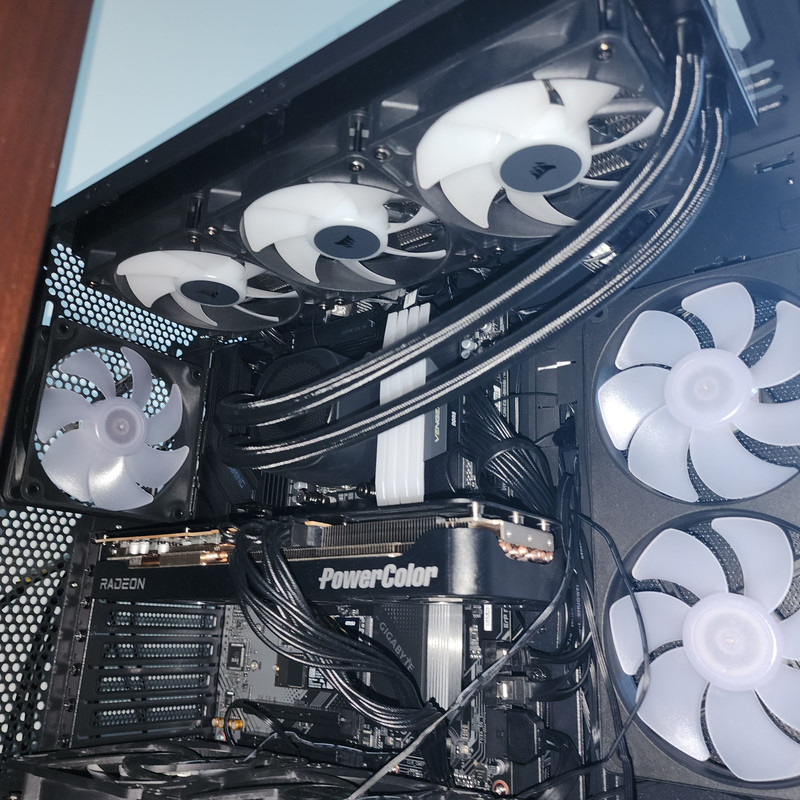
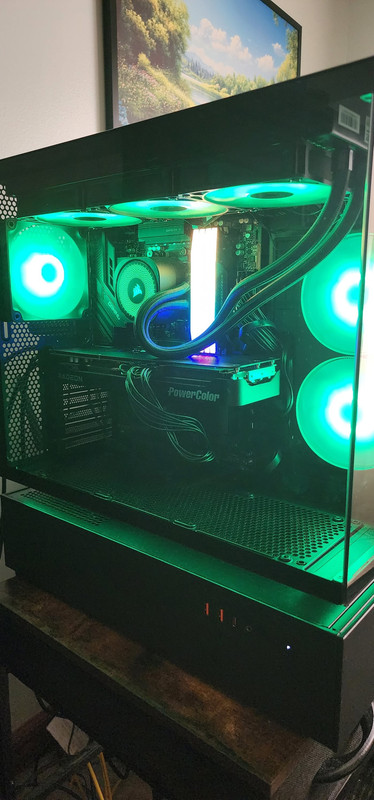
Here's a better picture of the setup. I do have the three Corsair fans exhausting air out the top; the side fans pull in a good amount of air. I don't know what brand it is (most likely cougar) or what its CFM is, but I'm happy with it. A while back, I lowered the rear exhaust fan closer to the GPU and flipped the pump around getting the hoses off the GPU. More recently, I added two intake fans at the bottom, underneath the GPU, and I did notice a drop in temperature of a few degrees Celsius on the GPU, with no change in the CPU temperature.
I'm still experimenting right now. While those bottom fans are pulling in air, the air they pull is ok. Upgrading to the Arctic should be more beneficial for the GPU and those 2 M.2 SSD.